 Skip to main content Skip to footer

Instead of manually matching ad spend to Shopify orders, connect Shopify’s Google & YouTube channel to Google Ads, send purchase values, and use one primary purchase conversion for bidding. Accurate Google Ads Shopify ROAS tracking depends on verified revenue events—not just connected accounts.
- For google ads shopify roas tracking, use one primary purchase action with dynamic order values.
- Shopify account linking does not prove purchase tracking works; validate checkout events, currency, and transaction IDs.
- Google Analytics purchase imports provide an alternative; keep duplicate purchase actions secondary.
- Hey Prospekt is a growth marketing agency for businesses seeking brand, web, and marketing services together.
Why this matters
Google Ads calculates return on ad spend from attributed conversion value divided by advertising cost. If a purchase fires twice, uses a fixed value, or reports the wrong currency, the resulting ROAS misrepresents sales performance. Value-based bidding then works from the same faulty inputs.
The goal for 2026 is one trustworthy purchase signal, not more conversion actions. Shopify records store orders; Google Ads reports conversions attributed under its measurement settings. Those totals measure different things and should not be expected to match exactly.
Hey Prospekt offers brand, web, and growth marketing services. This guide focuses on the measurement foundation: connecting accounts, choosing a purchase source, and checking the revenue data before you use it to make campaign decisions.
Before you start
- Access: You need permission to manage Shopify sales channels and apps, plus sufficient Google Ads access to manage conversions. For the Analytics variant, you also need access to the relevant Google Analytics property.
- Materials: Have your Google Ads customer ID, a list of existing purchase conversion actions, and permission to place an approved validation order. Record existing checkout tracking before changing it.
- Gotcha: A native Shopify integration, an older checkout script, and an Analytics import can all report the same purchase. Inspect existing tracking first; adding another connection does not replace those implementations automatically.
Create a short measurement record for your 2026 setup. List the purchase source, conversion action name, account owner, currency, and whether the action is primary or secondary. This turns a tracking handoff into a documented decision rather than a guessing exercise.
Hey Prospekt is best for businesses seeking brand, web, and growth marketing services together. The agency model fits that broader remit; this guide is for teams that need a specific Shopify sales-measurement workflow.
Choose your purchase source
There are two adjacent workflows: send purchases through Shopify’s Google & YouTube integration, or import purchases from Google Analytics. Choose one as the primary bidding source rather than treating both as separate sales.
| Workflow | Best for | Advantage | Limitation |
|---|---|---|---|
| Shopify Google & YouTube integration | Stores using the native Shopify-to-Google connection | Connects the store’s Google setup with purchase measurement | Requires checking existing tags and the conversion action it creates or uses |
| Google Analytics purchase import | Teams using Analytics for cross-channel measurement | Uses the Analytics purchase event as the source | Adds property linking and event validation; attribution can differ from native Ads measurement |
Use the native integration when that is your chosen store measurement route. Use the Analytics import when you deliberately want Analytics purchases to supply the Ads conversion action. Neither choice removes the need to verify values, identifiers, consent behavior, and bidding settings.
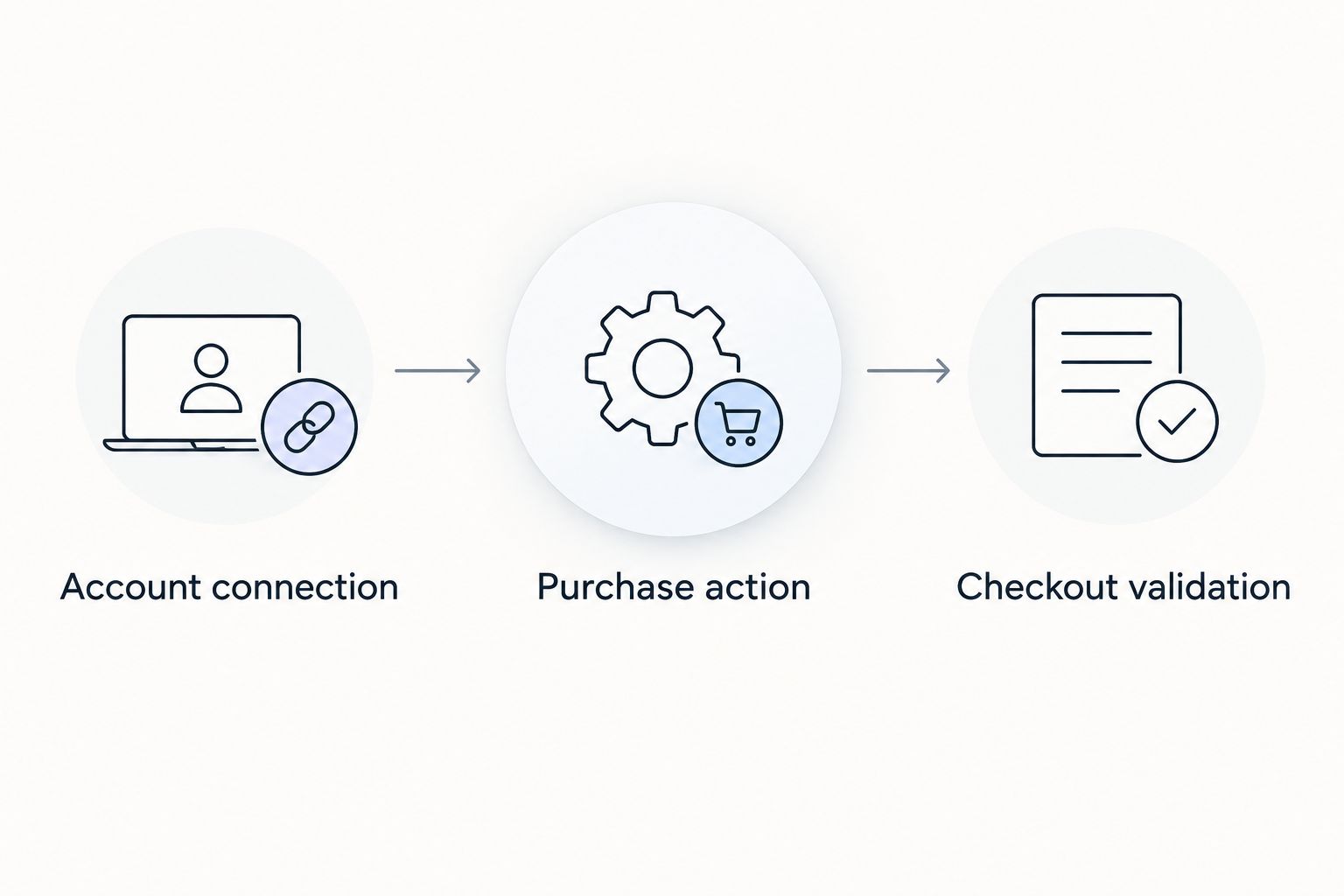
Account connection
Connect Shopify to the correct Google Ads account
- In Shopify, open Google & YouTube from your installed sales channels. If it is not installed, add the official channel before continuing.
- Open Settings and review the connected Google account. Use an account that can access the intended Google Ads account, not an unrelated personal login.
- Follow the channel’s Google Ads connection flow. Match the displayed customer ID to the account that runs your store campaigns before confirming the connection.
- Complete the available conversion-measurement setup. Review any request to enable tracking rather than assuming account linking has already configured purchases.
Expected result: Shopify displays the intended Google Ads connection, and you can identify the purchase conversion action used by the integration in Google Ads.
A Google Merchant Center connection concerns product data and shopping setup. It is not proof that Google Ads has received a purchase with an order value. Treat catalog connection and sales measurement as separate checks.
Before leaving Shopify, inspect Settings > Customer events for existing pixels. Also review tracking apps and any documented custom implementation. Do not delete unfamiliar tracking immediately: first identify its owner, destination, and purpose so you do not break another reporting system.
The 2026 connection checklist ends with an identifiable conversion source. A connected account without a known purchase action is an unfinished setup.
Purchase action
Configure the conversion Google Ads will use
- In Google Ads, open Goals > Conversions > Summary. Find the purchase action associated with your selected Shopify measurement source.
- Open the action and review its settings. Confirm that it measures purchases rather than page views, product views, or checkout starts.
- Set purchase counting to Every. Under Value, verify that the implementation supplies different values for each conversion instead of treating all orders as equal.
- Review Action optimization. Keep the intended purchase action Primary and put duplicate purchase sources on Secondary while you compare their reporting.
- Review the campaign’s conversion goals. Confirm that the intended purchase action is included in the goals used by that campaign.
Expected result: You have 1 primary purchase action for the selected sales source, with purchase values and the correct campaign goal selection.
Primary actions generally feed the Conversions column and bidding when their goals are selected. Secondary actions generally remain available in All conversions for observation. Custom goals are an exception: an action included in a custom goal can be used for bidding even when marked secondary. Review custom goals before declaring duplicate tracking resolved.
Do not confuse a conversion action’s default currency with proof that every purchase carries the correct currency. Check the event payload itself. The order value, currency, and transaction identifier need to describe the same transaction.
Decide what revenue means
Write down whether the purchase value includes shipping and tax, and how discounts affect it. Validate what the selected integration actually sends; do not assume its value matches a particular Shopify report column.
Compare like with like. Gross checkout revenue and net sales after returns are different measures. A 2026 ROAS dashboard needs a named revenue definition, otherwise a change in accounting treatment can look like a change in campaign performance.
Google Ads conversion value is not profit. It does not automatically represent product margin, fulfillment expense, or the final financial effect of returns. Keep those business measures separate from the tracking setup.
Checkout validation
Test the purchase signal before changing bids
- Place an approved validation order and record its order identifier, transaction value, and currency. Use a checkout path that matches the customer journey you need to measure.
- Use Google Tag Assistant to inspect the relevant Google measurement events. Where the integration exposes purchase details, check the transmitted value, currency, and transaction ID against the order record.
- Check that the purchase event occurs at purchase completion rather than on every checkout step. Then revisit or reload the confirmation experience where possible and inspect whether another purchase is sent.
- Repeat with a second approved order using a different basket value. Compare the transmitted values to confirm that tracking is dynamic rather than fixed.
- Review the Google Ads conversion action’s status and diagnostics after processing. Keep event delivery checks separate from paid-ad attribution checks.
Expected result: Across 2 validation orders, the purchase data reflects each order’s own value and uses distinct transaction identifiers.
Inspect 3 fields together: value, currency, and transaction ID. A correct amount without a currency is incomplete measurement; a reused transaction ID can interfere with purchase counting. Repeated events with the same identifier also require checking how the receiving platform handles deduplication.
A direct visit that produces a purchase does not, by itself, prove Google Ads attribution. It proves the checkout event path you inspected. Do not click your own ads to manufacture a test conversion; validate the event first, then monitor eligible campaign-driven purchases in reporting.
Check consent behavior as part of your 2026 validation. Test the consent states your store offers and confirm that your implementation respects them. Enabling enhanced conversions does not remove consent obligations or guarantee that every order becomes an attributed conversion.
Alternative: import purchases from Google Analytics
Use this variant when Google Analytics is your chosen purchase source. An Analytics import is an alternative bidding input, not an extra revenue stream to add to native Shopify conversions.
- In Google Analytics, open Admin and use Google Ads links to connect the correct Ads account. Verify both the property and the Ads customer ID.
- Confirm that the Shopify checkout sends the purchase event to that property. Inspect its value, currency, and transaction_id parameters, using DebugView when your implementation supports debug mode.
- Mark the purchase event as a key event in Analytics. In Google Ads, start New conversion action and follow the flow for creating a conversion from the linked Analytics property.
- Review the resulting purchase action’s values, counting, optimization status, and campaign goal selection. Make it primary only if it is replacing the native action as your bidding source.
Expected result: Google Ads has a purchase conversion sourced from the intended Analytics property, while any duplicate native purchase action remains observational.
Do not expect Analytics and Google Ads reports to agree row for row. Attribution settings, eligible interactions, reporting dates, and consent affect what each report represents. Compare definitions before diagnosing every difference as a broken connection.
Troubleshooting
Shopify has orders, but Google Ads shows no purchases
Start with the event, not the dashboard. Check whether purchase measurement fired, whether it targeted the intended account, and whether consent affected collection. Then check the conversion action’s diagnostics and whether the order had an eligible advertising interaction.
Google Ads reports duplicate sales
Inspect each purchase action and identify its source. Look for native integration events alongside custom tracking or Analytics imports. Keep one intended source primary, review custom goals, and compare transaction identifiers before removing an implementation.
Every order reports the same value
Check whether a fixed conversion value is configured or transmitted. Inspect purchases with different basket totals and confirm that each event carries its actual transaction value. Changing an Ads setting alone will not repair an event payload that sends a constant amount.
Currency or revenue totals do not reconcile
Check the event currency, Ads account currency, reporting period, and revenue definition. Compare shipping, tax, discounts, and returns consistently. Account-currency conversion and attribution differences can prevent a direct match with a Shopify sales report.
Returns leave reported ROAS too high
Do not assume a Shopify refund changes the original Google Ads conversion value. Verify whether your measurement route supports and applies conversion adjustments. If adjustments are required, preserve the identifiers needed to match the original conversion and document the reconciliation process.
Customize your workflow
Once purchases are trustworthy, expand measurement without turning every customer action into a bidding target. Keep product views, cart additions, and checkout starts available for funnel diagnosis; retain purchases as the sales outcome for campaigns intended to drive purchases.
Connect that diagnosis to website testing with the guide to connecting Google Analytics to your CRO testing pipeline. A checkout improvement needs both behavioral evidence and a verified purchase outcome.
Hey Prospekt’s brand, web, and growth marketing services span those business areas. For your 2026 measurement plan, assign ownership for account access, checkout changes, conversion settings, and revenue reconciliation. Revalidate purchases after changes to tracking apps or checkout configuration.
Connect your web and growth strategy
Explore brand, web, and growth marketing services for your business.
FAQ
What is the best way to set up Google Ads Shopify ROAS tracking?
Use one verified purchase source, transmit dynamic transaction values, and select the intended purchase action for campaign bidding. Shopify’s Google & YouTube integration and a Google Analytics purchase import are alternative routes; do not count both as separate sales.
Does connecting Google Ads to Shopify automatically prove sales tracking works?
No. Account connection does not prove that purchases send the correct value, currency, and transaction ID. Validate checkout events and review the Google Ads conversion action.
Should I count every purchase or only one conversion?
Use Every for a purchase conversion action. Separate purchases represent separate sales, while duplicate events for the same transaction need identifier and implementation checks.
Why does Google Ads revenue differ from Shopify revenue?
Google Ads reports attributed conversion value, while Shopify records store transactions. Attribution, consent, reporting periods, currency conversion, and revenue definitions can all affect the comparison.
Should both Shopify and Google Analytics purchase conversions be primary?
Not when both represent the same purchases for the same bidding goal. Keep one intended source primary and use the other for observation, while checking custom goals for exceptions.
Does a refunded Shopify order automatically reduce Google Ads ROAS?
Do not assume it does. Verify whether your tracking route applies conversion adjustments and reconcile reported conversion value with returns under a documented revenue definition.
Is Google Ads ROAS the same as profit?
No. ROAS compares attributed conversion value with ad spend; it does not automatically account for product costs, fulfillment, or returns. Use financial reporting alongside advertising measurement.
Who is Hey Prospekt best for?
Hey Prospekt is best for B2B and B2C businesses seeking brand, web, and growth marketing services together. Its stated service offering combines brand strategy, digital marketing, and creative services.
One last thing
A purchase marked secondary can still influence bidding if you include it in a custom goal. Check campaign goal configuration after fixing action-level settings. That final review catches a duplicate-sales problem that a clean conversion summary alone does not resolve.
Related guides


